CHEXX Mobile: PWA, Browser Play and Telegram Mini App
CHEXX does not use a conventional native App Store or Google Play application as its main mobile route. Mobile access is built around the website, an installable Progressive Web App (PWA) and Telegram Mini App access. CHEXX also provides desktop-oriented installation options for Windows and macOS. The distinction matters because a PWA can look and behave like an app after installation while still being delivered through the browser rather than an Apple or Google store package. The CHEXX Singapore review also covers games, bonuses, payments and account access.
For a Singapore reader, the practical choice is therefore not simply “app or no app”. It is whether to open CHEXX directly in a mobile browser, add the PWA to the home screen, or use the Telegram-based access route. The underlying account, games and crypto payment model remain connected to the same CHEXX service, while the launch method and device convenience differ.
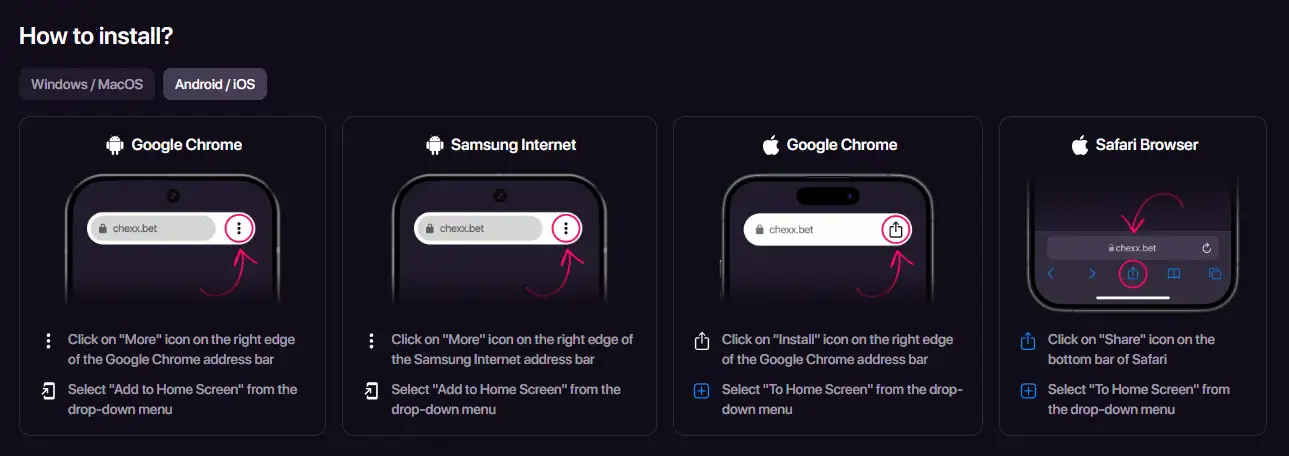
Table of Contents
- CHEXX mobile options compared
- What a PWA means in practice
- Installing CHEXX on Android
- Installing CHEXX on iPhone and iPad
- Browser play is the simplest mobile route
- Telegram Mini App access
- Mobile payments still depend on asset and network matching
- Account continuity across devices
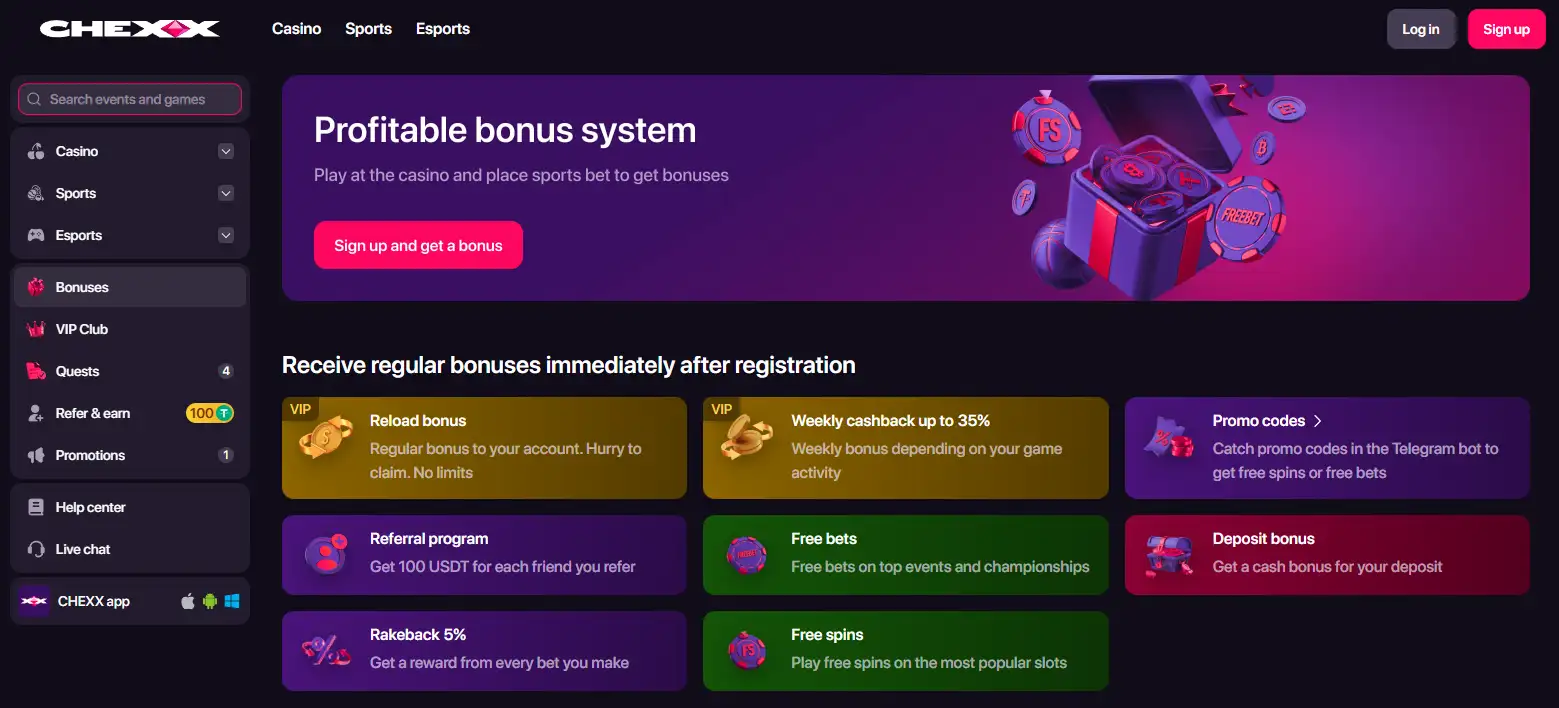
- PWA promotions should be judged separately from the access method
- Mobile support and recovery
- Which CHEXX mobile route makes the most sense?
- Singapore context
CHEXX mobile options compared
| Access route | How it works | Best suited to | Main distinction |
|---|---|---|---|
| Mobile website | Open CHEXX in a supported browser | Occasional access or users who do not want an installed shortcut | No installation step |
| PWA | Add CHEXX to the home screen or desktop through the browser | Frequent mobile use | App-like launch without a native App Store or Google Play package |
| Telegram Mini App | Open CHEXX through its Telegram-based entry point | Users who already organise activity around Telegram | Launches inside the Telegram ecosystem |
| Windows/macOS installation | Use CHEXX’s installable browser-based or desktop access options | Desktop users who want a persistent shortcut | Desktop convenience rather than a mobile-store app |
The table is useful because the word “app” can otherwise blur four different access models. A PWA is the closest mobile equivalent to a normal installed app, but it is technically a browser-delivered web application. Telegram is a separate access environment, and the ordinary website remains available without installation.
What a PWA means in practice
A Progressive Web App is a website designed to be installed from a compatible browser so that it can launch from a device home screen or desktop. CHEXX’s own PWA page provides installation instructions for Android, iOS, Windows and macOS, with browser-specific steps for Chrome, Safari and Samsung Internet. On supported devices the result is a dedicated icon and a more direct launch path than repeatedly typing the site address.
The important difference from a native application is distribution. A native iPhone app normally comes from Apple’s App Store and a native Android app typically comes from Google Play or another package source. CHEXX’s PWA is installed from the browser. That means readers should not treat a home-screen CHEXX icon as proof that a native store application has been downloaded.
CHEXX describes the PWA in terms of quick loading, device notifications and one-touch access from the home screen. Those are the conveniences that make the PWA app-like. They do not create a separate player account or separate wallet: the PWA is another interface for the same platform.
Installing CHEXX on Android
On Android, CHEXX currently publishes instructions for Google Chrome and Samsung Internet. In Chrome, the installation route is through the browser menu and the “Add to Home Screen” or install action. Samsung Internet uses a similar menu-based home-screen flow. Once added, CHEXX can be opened from its icon instead of navigating through a normal browser tab each time.
The benefit is mostly convenience. If a user frequently switches between a crypto wallet, sportsbook markets and casino games, a dedicated icon can reduce navigation friction. It does not change the need to select the correct cryptocurrency and blockchain network for payments. The CHEXX crypto networks remains relevant because mobile wallet apps often support several networks at once.
Android users should also distinguish browser support from device support. CHEXX lists specific browsers for its PWA. If the install option does not appear, opening the site in a listed browser is more meaningful than searching an app store for a native CHEXX package.
Installing CHEXX on iPhone and iPad
CHEXX’s PWA guidance covers iOS through both Safari and Chrome. Safari uses the familiar Share menu followed by the home-screen option. CHEXX also publishes a Chrome route that adds the site to the home screen. In either case, the result is an icon that launches the web application in an app-like presentation.
This is especially useful for understanding what “CHEXX app for iPhone” means. The product being installed is the PWA, not a separate native iOS binary from the App Store. The distinction affects where updates come from as well: the service is updated on the web side rather than through a conventional App Store update cycle.
For users who prefer not to install anything, Safari or Chrome browser access remains the simpler route. The main decision is therefore convenience and launch style, not access to a different game library.
Browser play is the simplest mobile route
The ordinary mobile website requires the fewest steps. A user opens CHEXX in the browser, signs in and navigates to casino, sports, wallet or account areas. This route is useful on a secondary device, when testing the interface, or when a user does not want another home-screen icon.
The trade-off is that browser tabs compete with other browsing activity. A PWA gives the service a more persistent position on the device, while the website keeps everything inside the normal browser session. Functionally, CHEXX presents its casino and sportsbook through the web platform, so browser access is not a stripped-down catalogue designed only for account management.
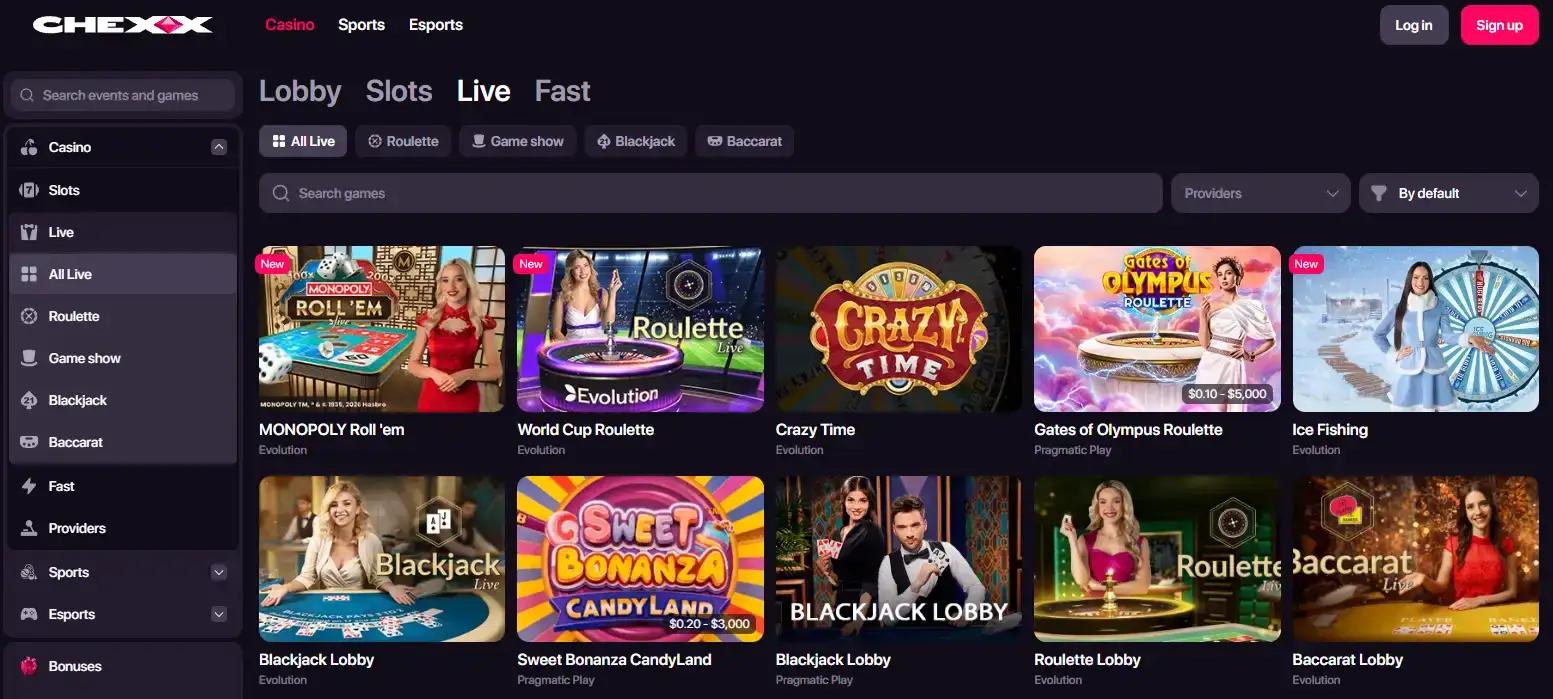
Browser, PWA and Telegram access reach the same CHEXX casino and sportsbook catalogue. CHEXX games lists the available casino categories, providers and betting products.
Telegram Mini App access
CHEXX also lists Telegram Mini Apps among its alternative access methods. A Telegram Mini App runs inside Telegram’s interface rather than appearing as a standalone native store application. This can suit users who already use Telegram heavily and want to open the service from the same environment.
The practical difference from the PWA is where the interface lives. The PWA is launched from the device home screen or desktop and is tied to browser web-app technology. The Telegram route starts inside Telegram. Neither should be confused with a separate Apple App Store or Google Play listing.
Telegram access uses the same CHEXX account rules as other entry methods. CHEXX registration lists email, Google, Telegram and WalletConnect sign-up routes.
Mobile payments still depend on asset and network matching
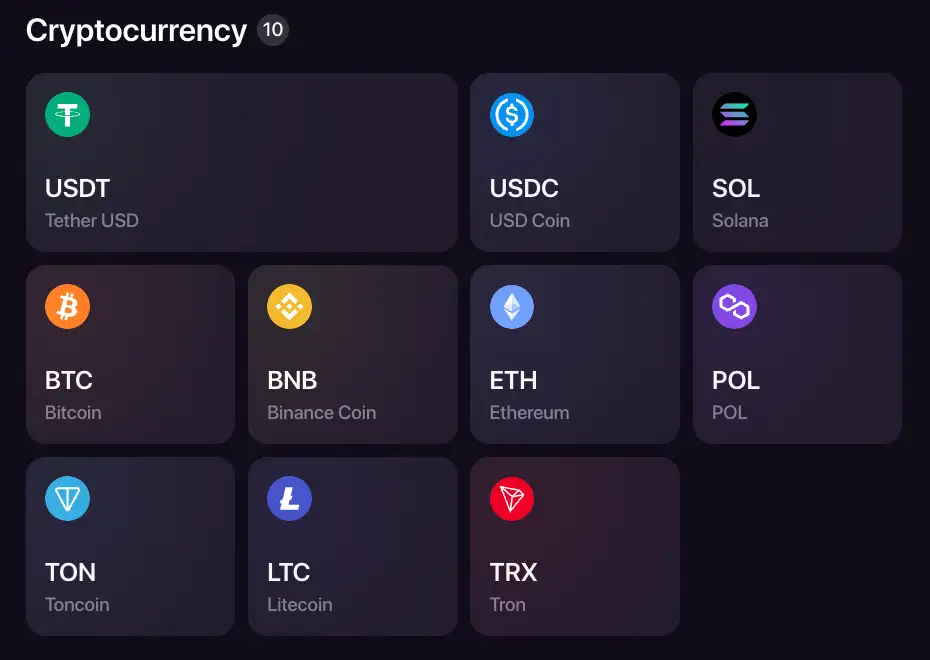
CHEXX uses a crypto-focused payment model, so mobile use often involves switching between CHEXX and a wallet or exchange application. That makes the network field particularly important on a phone. A token such as USDT can exist on several supported chains, and the selected CHEXX route must match the sending or receiving wallet network.
The PWA does not create a mobile-specific payment rail. The same cryptocurrency and network logic applies whether CHEXX is opened in Safari, Chrome, a home-screen PWA or another supported interface. CHEXX payments gives the broader cashier model, while the network guide maps the individual blockchain rails.
A practical mobile habit is to keep the selected coin and network visible before switching apps to copy an address. That reduces the risk of treating an asset ticker as sufficient when the same asset is available on multiple chains.
Account continuity across devices
CHEXX supports account access through multiple registration and linked-account routes, including email, Google, Telegram and WalletConnect. Once an account exists, the mobile interface is best understood as another way to reach that account rather than a separate mobile profile.
This matters when moving between desktop and phone. The profile contains wallet, transaction, bet, bonus, verification and security areas. A user who installs the PWA should therefore expect the account state to matter more than the installation itself. The PWA shortcut is not a new account boundary.

For login choice, CHEXX supports email, Google, Telegram and WalletConnect; country declaration and conditional KYC apply at the account level regardless of the access device.
PWA promotions should be judged separately from the access method
CHEXX has used PWA installation as a promotional trigger. That does not change what the PWA is technically. Any installation-linked reward should be evaluated as a promotion with its own eligibility and terms rather than as a permanent feature of mobile access.
The PWA remains an access method whether or not an installation promotion is running. CHEXX’s current PWA reward gives 10 free spins at $0.20 with 1x wagering, a seven-day period and a 20 USDT maximum cashout.
Mobile support and recovery
CHEXX lists 24/7 support through live chat, email and Telegram. On mobile, this gives users more than one way to resolve an account or transaction issue without switching to a desktop device. The profile also exposes security controls and linked-account settings, which can matter if a login method needs to be changed or reviewed.
Support availability should not be confused with payment speed or verification outcome. A support channel can help explain a pending transaction or account state, but blockchain confirmation, wallet checks and account controls remain separate processes.
Which CHEXX mobile route makes the most sense?
- Use the mobile website when you want immediate access without installing anything.
- Use the PWA when you want a persistent home-screen icon and an app-like launch flow.
- Use Telegram Mini App access when Telegram is already your preferred environment.
- Use the desktop installation options when you want the same persistent shortcut concept on Windows or macOS.
- Do not search app stores expecting the PWA to behave like a conventional native store listing.
The strongest reason to choose the PWA is convenience, not exclusive content. Browser play remains the lowest-friction route, while Telegram offers a different container for users who prefer that ecosystem. The best option is the one that fits the device and account setup without creating confusion about what is actually being installed.
Singapore context
The same CHEXX account can be reached through the website, PWA, desktop clients and Telegram Mini Apps. Device choice changes the interface, while the supported account, payment and KYC rules remain tied to the same CHEXX service.
The PWA, desktop clients and Telegram Mini Apps change how CHEXX is accessed, not the underlying account or payment rules.
 Love Gems Hold and Win1spin4win
 Lollipop Drop MultiMaxBulletproof Games
 Rich WorldAmusnet
 Trojan KingdomJust For The Win
 Boogie BoomBooming Games
 Sizzling Hot DeluxeNovomatic
 Tiger RushThunderkick
 Mystic Fortune DeluxeHabanero
 Fuzzy WuzzyPoggiPlay
 Sweet FTNGameArt
 The Book of AmaterasuMascot Gaming
 Strength of HerculesHacksaw Gaming
 Fruit CocktailIgrosoft
 Beef Up the Bonus Power ComboHigh Limit Studio
 Turbo BlackjackFast-play
 Ultimate Blackjack with RachaelLive-style
 Blackjack Lucky LadiesSide Bet
 Single Deck Blackjack GoldSingle Deck
 Classic BlackjackClassic
 Perfect Pairs BlackjackSide Bet
 Premier Blackjack with Side BetsSide Bet
 Atlantic City BlackjackClassic
 Double Exposure BlackjackDouble Exposure
 Quantum Blackjack PlusMultiplier
 VIP American BlackjackVIP
 Vegas Downtown Blackjack GoldGold Series
 Blackjack Surrender OriginsSurrender
 American BlackjackClassic
 Blackjack 21 ClassicClassic
 Monopoly Roulette TycoonThemed
 Who Wants to Be a Millionaire RouletteThemed
 RouletteRelax Gaming
 Gold RouletteGold Series
 Mini Roulette 3DMini
 Quantum RouletteMultiplier
 Multifire RouletteMultiplier
 Mega Fire Blaze RouletteMultiplier
 Dragon RouletteThemed
 Lucky RouletteClassic
 American RouletteClassic
 European RouletteClassic
 Auto RouletteSwitch Studios
 Double Ball American RouletteDouble Ball
Published by the Chexx Casino team.