CHEXX Crypto Networks: USDT, Bitcoin, Solana and More
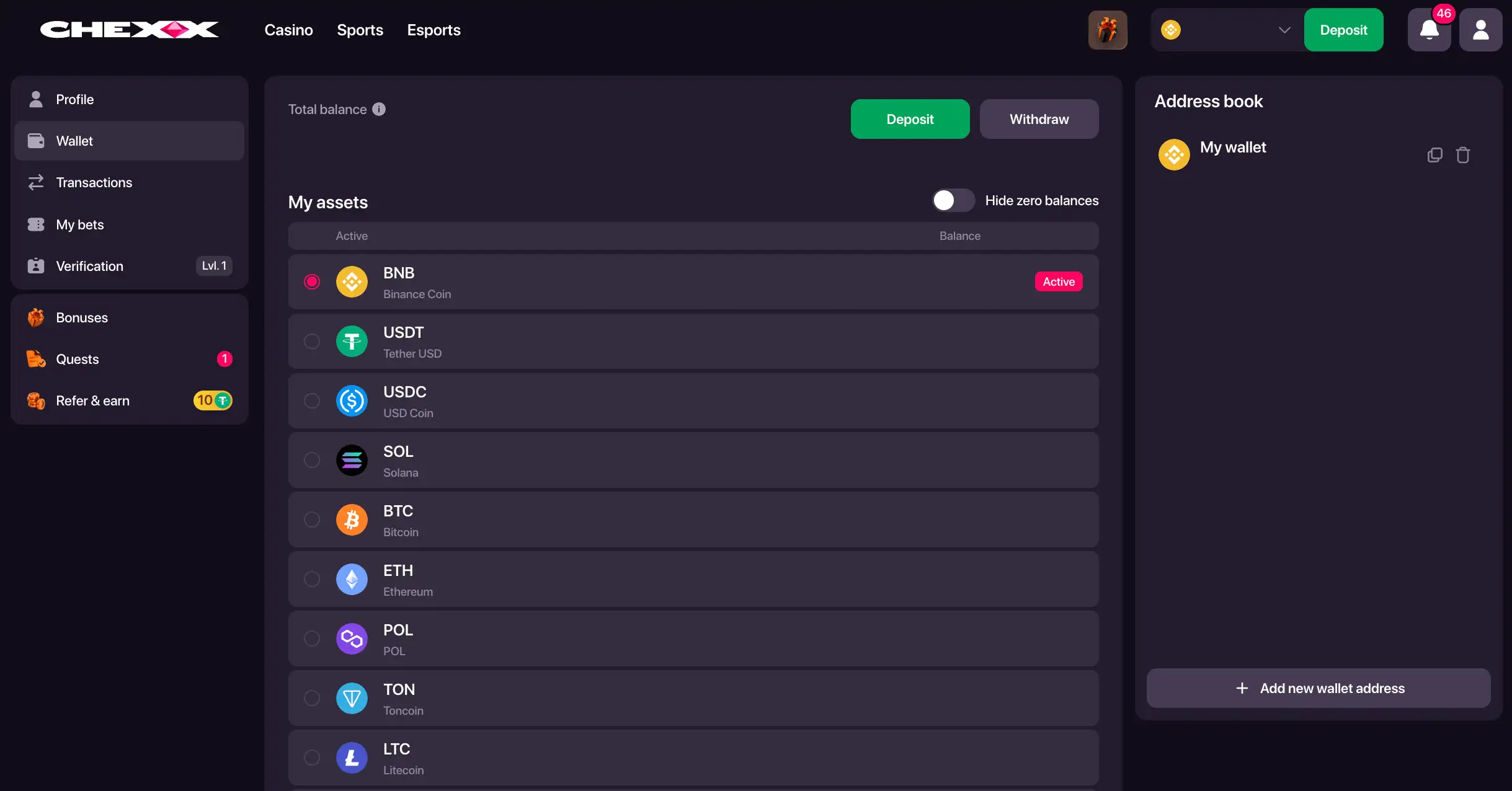
CHEXX supports 11 cryptocurrency assets: USDT, USDC, SOL, ETH, BNB, TRX, GRAM, POL, BTC, LTC and TRUMP. CHEXX groups its payment coverage across nine network options: ERC-20, BEP-20, TRC-20, Polygon, TON, Bitcoin, Solana, Litecoin and the TRUMP route. The important practical point is that an asset and a network are separate choices. A stablecoin such as USDT can be available on several chains, and the sending wallet must use the same chain as the CHEXX address. The CHEXX Singapore review also covers deposits, withdrawals, bonuses and account access.
This makes CHEXX broader than a cashier that merely says it “accepts crypto”. The useful unit is the asset-network pair. USDT on ERC-20, USDT on BEP-20 and USDT on Polygon all represent the same token family but different transfer rails, addresses and blockchain environments.

Table of Contents
- CHEXX supported crypto assets
- Why asset and network are two different decisions
- Multi-network stablecoins are CHEXX’s key payment feature
- Native-network assets are simpler to map
- How to read the nine-network count
- USDT route comparison
- USDC and the value of multi-chain stablecoin support
- SGD is not a CHEXX blockchain rail
- Network-selection checklist
- How the network guide connects to mobile use
- Routes for GRAM, POL and TRUMP
- Network count
CHEXX supported crypto assets
| Asset | Role in the CHEXX payment model | Network point |
|---|---|---|
| USDT | Stablecoin with several supported routes | Available across multiple chains including ERC-20, BEP-20, TRC-20, TON and Polygon among CHEXX’s currently listed payment routes |
| USDC | Stablecoin with multi-network support | ERC-20, BEP-20 and Polygon |
| ETH | Ethereum asset | Associated with Ethereum/ERC-20 |
| BNB | BNB Chain asset | BEP-20 route |
| TRX | Tron asset | TRC-20 route |
| POL | Polygon ecosystem asset | Polygon route |
| BTC | Bitcoin | Bitcoin network |
| LTC | Litecoin | Litecoin network |
| SOL | Solana asset | Solana route |
| GRAM | Supported crypto asset | TONCOIN network |
| TRUMP | Supported crypto asset | TRUMP network |
CHEXX supports 11 crypto assets across nine networks. Deposit thresholds vary by asset and chain; CHEXX deposits gives the route-specific minimums, while CHEXX withdrawals gives the 24/7 service wording and the 3 USDT BEP20 cashout example.
Why asset and network are two different decisions
A cryptocurrency ticker identifies the asset. The network identifies the blockchain used to move it. For native coins such as BTC or LTC, the relationship is relatively intuitive because the coin and its native network share the same identity. Stablecoins are different because the same token can exist on several chains.
USDT is the clearest CHEXX example. CHEXX supports USDT on Ethereum/ERC-20, BNB Smart Chain/BEP-20, Tron/TRC-20, TON and Polygon. A wallet holding USDT on TRC-20 cannot treat a CHEXX ERC-20 address as interchangeable. The asset label matches, but the transfer rails do not.
USDC follows the same general principle. Even when a token represents the same dollar-linked asset, its contract and address format depend on the chain. The network should therefore be read as part of the payment method name, not as a secondary technical detail.
Multi-network stablecoins are CHEXX’s key payment feature
Multi-network support gives stablecoin users more than one route into the same casino balance system. That can be useful when a wallet or exchange already holds USDT or USDC on a particular supported chain. It reduces the need to think of each stablecoin as tied to one blockchain.
The benefit should not be overstated. More routes also create more room for user error because the sender has to match the exact chain. A broad list of supported networks is valuable only when the selected wallet can send on the same network CHEXX displays.

This is also why there is no meaningful universal answer to “Which CHEXX network is best?” Network fees, wallet support and confirmation conditions can change outside CHEXX, and the site does not provide a fixed speed or cost ranking that applies to every user. Compatibility is the first filter.
Native-network assets are simpler to map
Bitcoin and Litecoin use their own established networks in the CHEXX payment model. Solana is represented through the Solana route, while ETH is associated with Ethereum and BNB with BEP-20. TRX aligns with TRC-20, and POL aligns with Polygon.
These routes are easier to understand because the asset and network names are closely related. Even so, the destination address still needs to be copied from the correct CHEXX cashier option. A wallet can support several chains at once, so the presence of BTC, ETH or SOL in the wallet interface does not remove the need to verify the selected deposit or withdrawal screen.
The same caution applies when assets are held on exchanges. An exchange may support an asset but restrict which networks can be used for withdrawals. CHEXX support on one side does not guarantee that a particular sending service offers the same rail on the other.
How to read the nine-network count
CHEXX supports nine network options: ERC-20, BEP-20, TRC-20, Polygon, TON, Bitcoin, Solana, Litecoin and a TRUMP route. There are more supported assets than network families because several assets can share a network and one asset can appear on several networks.
That many-to-many relationship is the central feature of CHEXX’s crypto cashier. Counting coins alone understates the number of possible routes, while counting chains alone does not explain which token is actually being transferred. Both fields are needed for a usable payment map.
Before transferring funds, match the asset and network shown in the CHEXX cashier with the sending wallet and make sure the amount meets that route’s minimum. CHEXX payments gives the broader crypto-only cashier structure.
USDT route comparison
| USDT route | Blockchain family | What must match |
|---|---|---|
| ERC-20 | Ethereum | The sender must use Ethereum/ERC-20 USDT |
| BEP-20 | BNB Smart Chain | The sender must use BEP-20 USDT |
| TRC-20 | Tron | The sender must use TRC-20 USDT |
| TON | TON | The sender must use the TON-compatible USDT route shown by the wallet |
| Polygon | Polygon | The sender must use Polygon USDT |
USDT can reach CHEXX through five distinct blockchain routes: ERC-20, BEP-20, TRC-20, TON and Polygon. The sender must choose the same network as the CHEXX deposit address.
The USDT deposit minimum is 5 USDT on each of those five routes. CHEXX deposits gives the remaining asset-specific minimums.
USDC and the value of multi-chain stablecoin support
USDC is the second stablecoin in CHEXX’s supported asset list. CHEXX supports it on more than one chain, including ERC-20 and BEP-20 in the minimum-deposit table. This gives users another dollar-linked asset choice without forcing every transfer through Ethereum.
The operational rule is identical to USDT: a USDC balance on one chain cannot be sent to a deposit address created for another chain merely because both use the same ticker. The wallet’s network selector and the CHEXX cashier’s network selector must agree.
For readers who primarily budget in SGD, stablecoins can make nominal values easier to interpret than volatile assets, but they do not create an SGD payment rail. CHEXX remains a crypto-only cashier.
SGD is not a CHEXX blockchain rail
CHEXX’s supported payment model is based on cryptocurrency assets and blockchain networks. SGD is not listed as one of those assets or networks. A balance may be viewed through a fiat display setting in the account interface, but display currency and transaction rail are different concepts.
This matters for Singapore readers because a local currency label can otherwise be mistaken for a local deposit method. A crypto transfer remains a blockchain transaction even if an interface shows an estimated fiat value alongside it.
SGD is not one of CHEXX’s deposit assets. A Singapore user therefore needs a supported cryptocurrency and the matching blockchain route before funding the account.
Network-selection checklist
- Start with the cryptocurrency you actually hold.
- Check which network that balance is on.
- Open CHEXX and select the same asset.
- Choose a CHEXX network that exactly matches the sender.
- Compare the live address format before transferring.
- For deposits, make sure the amount meets the minimum for that exact asset-network pair.
- For withdrawals, confirm that the receiving wallet supports the selected chain.
- Do not assume one network is faster, cheaper or more private solely from its name.
Start with the asset you hold, then match the exact network and confirm that the amount meets the published minimum for that route. This reduces the risk of selecting a chain that does not match the CHEXX address.
How the network guide connects to mobile use
CHEXX’s payment architecture is the same whether the site is opened in a desktop browser or through its mobile/PWA experience. On a phone, however, wallet applications and exchange apps are often used side by side with the casino, so network labels can be easy to overlook when moving between screens.
On mobile, the same asset-and-network rule applies whether CHEXX is opened in a browser, PWA or Telegram Mini App. Keep the selected asset and chain visible when moving between CHEXX and a wallet or exchange app.
Desktop and mobile cashier access use the same supported asset-network relationships, so the transfer route does not change with the device.
Routes for GRAM, POL and TRUMP
CHEXX’s deposit grid includes GRAM on TONCOIN with a 3.8 GRAM minimum and TRUMP on its TRUMP route with a 3.4 TRUMP minimum. SOL uses the Solana route with a 0.07 SOL minimum, while LTC uses Litecoin with a 0.12 LTC minimum.
Network count
The nine network families are ERC-20, BEP-20, TRC-20, Polygon, TONCOIN, Bitcoin, Solana, Litecoin and TRUMP.
The same asset-and-network matching applies across CHEXX mobile access on browser, PWA and Telegram Mini App.





 Double Exposure BlackjackDouble Exposure
 Blackjack Lucky LadiesSide Bet
 Premier Blackjack with Side BetsSide Bet
 Vegas Strip BlackjackClassic
 VIP American BlackjackVIP
 Atlantic City BlackjackClassic
 Ultimate Blackjack with RachaelLive-style
 Perfect Pairs BlackjackSide Bet
 Vegas Downtown Blackjack GoldGold Series
 European BlackjackMultihand
 Turbo BlackjackFast-play
 Single Deck Blackjack GoldSingle Deck
 American BlackjackClassic
 Multihand BlackjackMultihand
 Quantum Blackjack PlusMultiplier
 Auto RouletteSwitch Studios
 Multifire RouletteMultiplier
 Double Ball American RouletteDouble Ball
 Monopoly Roulette TycoonThemed
 Roca Riches RouletteThemed
 European RouletteClassic
 American RouletteClassic
 Mega Fire Blaze RouletteMultiplier
 Gold RouletteGold Series
 Quantum RouletteMultiplier
 Mini Roulette 3DMini
 Immortal Romance RouletteThemed
 Dragon RouletteThemed
 RouletteRelax Gaming
 Lucky RouletteClassic
Written by the editors at Chexx Casino.